Check for halal in seconds
Scan a food barcode, type it in, or point the camera at the ingredients list. Imad reads every ingredient and tells you what it found – and why.
For iPhone. In English, Norwegian and Arabic.
Three ways to check a product
Use whichever fits the product in your hand.
Scan the barcode
Point the camera at the barcode. Imad finds the product and checks its ingredients.
Type it in
Can't scan? Enter the digits printed under the barcode.
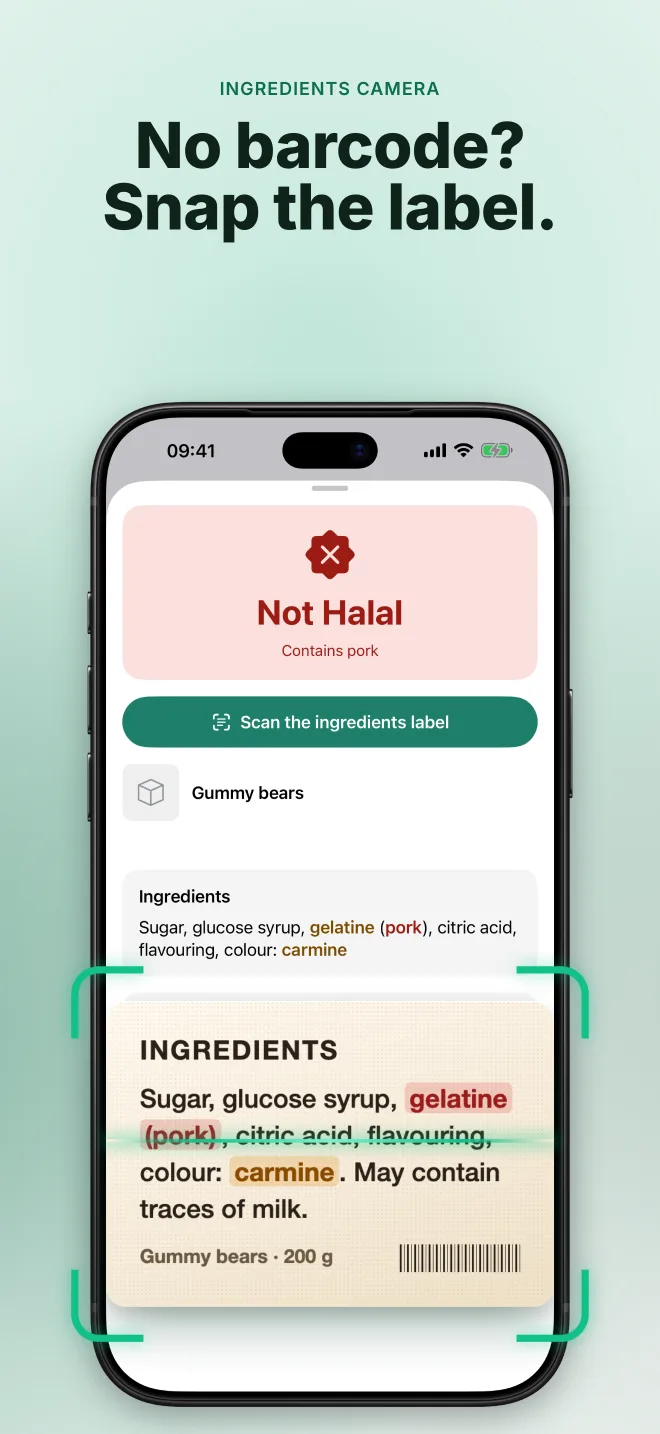
Photograph the ingredients
No barcode, or a product nobody has listed? Point the camera at the ingredients list, or pick a photo you already have.
Five clear answers
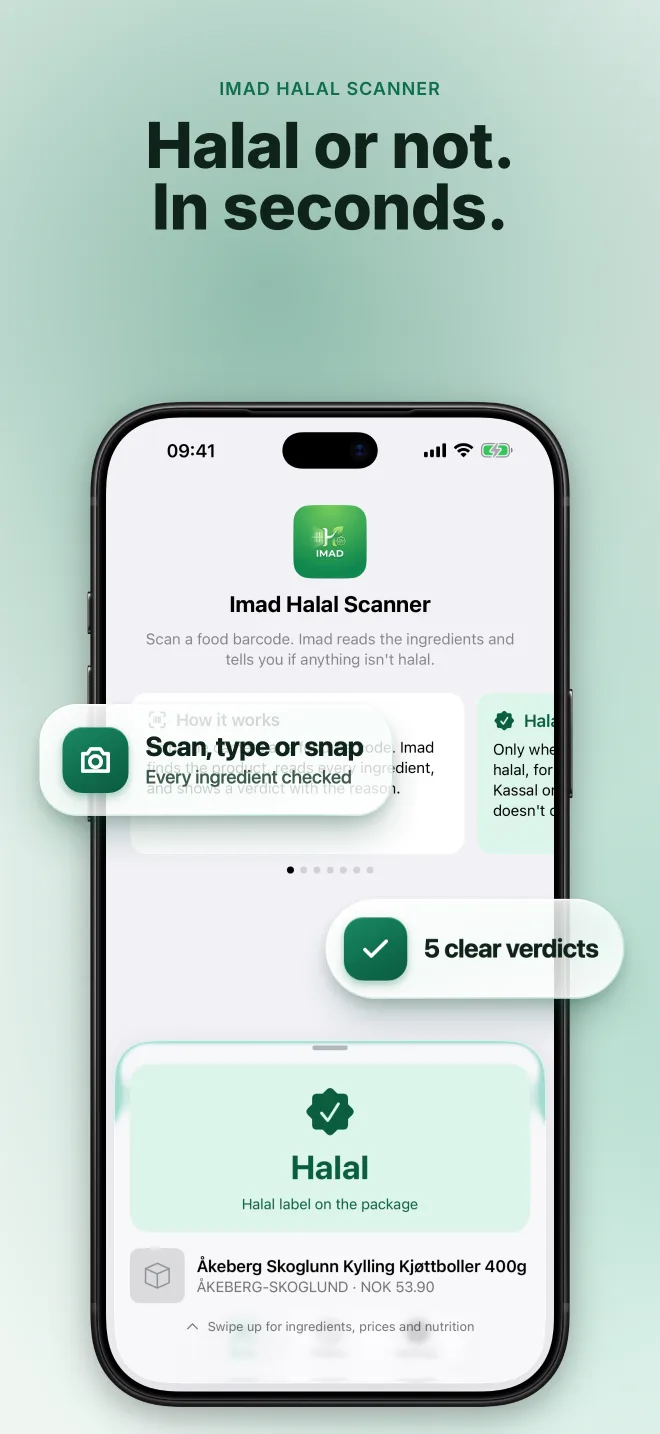
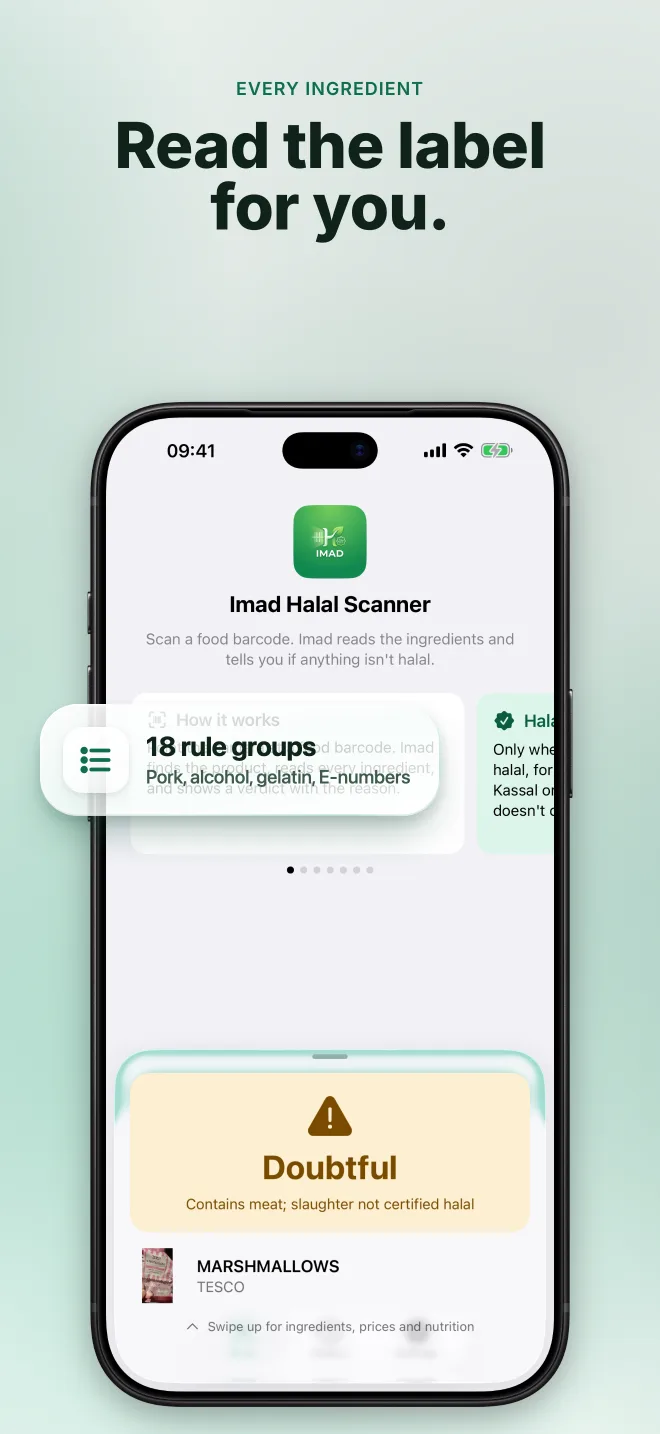
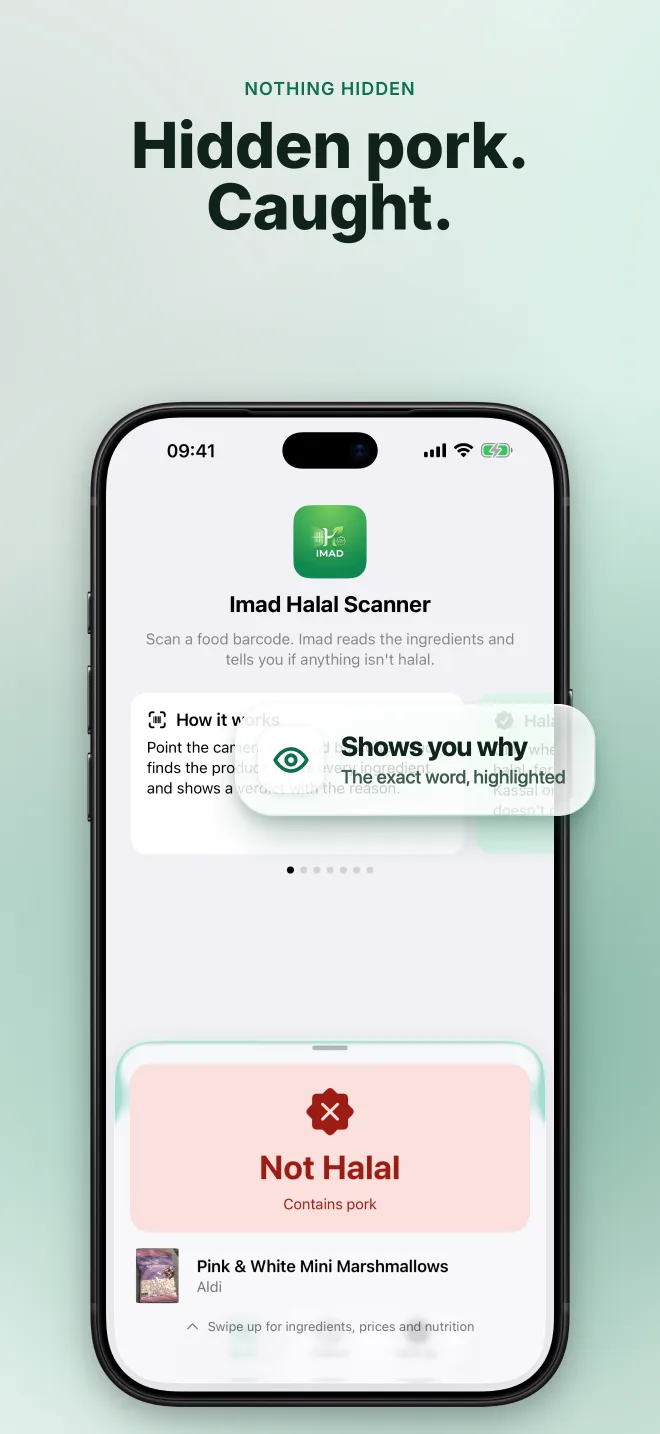
Imad is cautious by design. It only says Halal when the package says so, and it always shows the ingredient behind a warning.
- Halal
The package carries a halal label.
- Not Halal
An ingredient that isn't halal was found, such as pork, alcohol or blood.
- Doubtful
An ingredient could be halal or not, depending on its source – for example gelatin, rennet, E471 or carmine.
- No haram found
Nothing on the list was found in the ingredients, but the product isn't labelled halal.
- Can't tell
No ingredients were found, so there is nothing to check yet.
What Imad looks for
Imad checks the ingredients against a careful list: pork, alcohol, blood, gelatin, carmine and shellac, rennet and animal enzymes, meat without halal slaughter, flavourings that may contain alcohol, and E-numbers that can come from animals (such as E471, E472, E422, E542 and E920). It understands ingredient lists in Norwegian, Swedish, English and Arabic.
Screenshots
Products from around the world
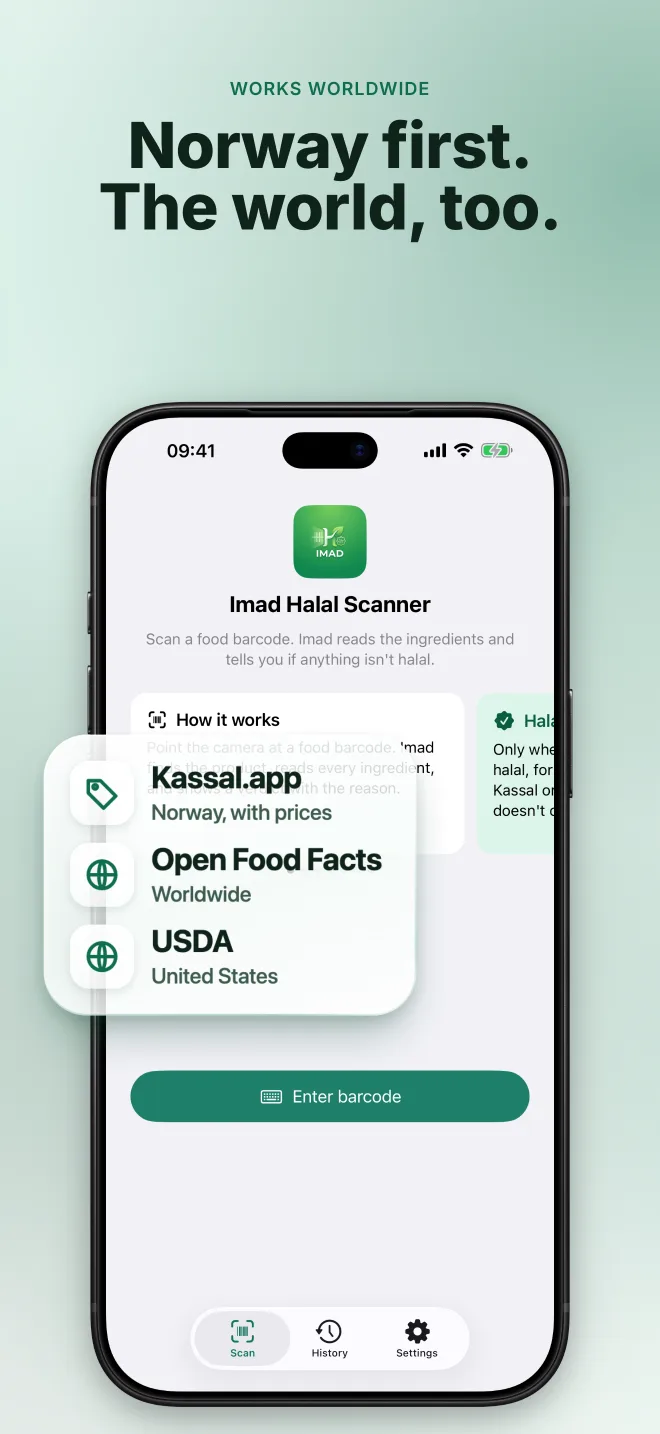
Imad asks several open product databases at once, so more products have ingredients.
Any product
Not listed anywhere? Photograph the ingredients list and Imad checks it.
An optional AI helper
Camera text can be messy. On iPhones with Apple Intelligence, Imad can tidy it up right on your device. You can also use your own Claude, OpenAI or Gemini key, or a server you choose.
AI only tidies the text and points out words worth a second look. It never decides the verdict – the ingredient rules do. The helper is off unless you turn it on, and Imad works fully without it.
Private by design
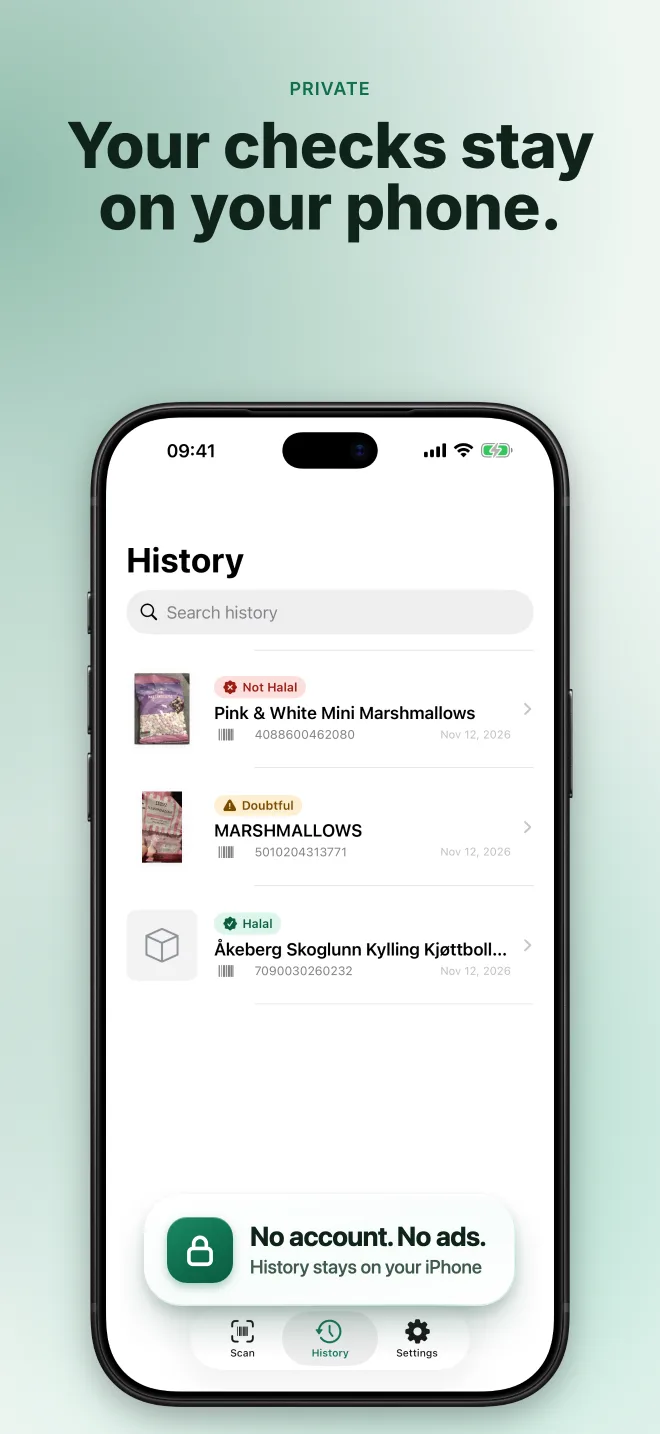
- No account, no ads, no analytics, no tracking.
- Your history stays on your iPhone and isn't synced anywhere.
- Photos stay on your iPhone. Only the barcode number is sent to look a product up.
- Ingredient text goes to an AI provider only if you add your own key and agree first.
Support Imad
Imad is free, has no ads, and is made by one developer. A tip helps keep it going – it unlocks nothing, and everything in the app stays free for everyone. You can also leave a tip inside the app under Settings → Support Imad.
Opens a secure payment page from Stripe in a new tab.
A helper, not a religious authority
Imad reads ingredient lists and applies careful rules, but it isn't a certification body and can't see how a product was made. When in doubt, read the label or ask the producer.